
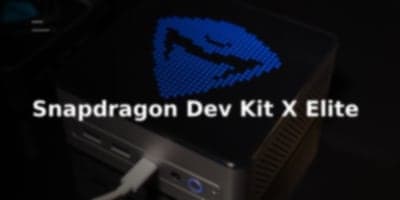
Pumping 100 watts into silicon designed for thin-and-light laptops does not create a workstation class machine. It creates a hot, loud engineering contradiction. Qualcomm promised the Snapdragon Dev Kit would be the definitive hardware sandbox for the Copilot+ PC era, offering developers an uncapped, fully unleashed Snapdragon X Elite platform. After broken launch windows, missed June targets, and unfulfilled "ships tomorrow" checkout guarantees in July, units finally began arriving in October for early adopters who paid nearly $900 with shipping. What arrives on the bench is a fascinating look at high-performance ARM64 silicon held back by self-inflicted software limitations and steep diminishing returns on power scaling.
Inside the Chassis: Uncapped Silicon and Missing Ports
The unboxing experience sets commercial expectations: sturdy packaging, custom foam, a beefy 180W external power brick, and a USB-C to HDMI adapter. That included dongle immediately points to last-minute hardware triage. The dev kit was originally advertised with a native, integrated HDMI port. That internal connector was quietly stripped before mass production, likely cut to resolve compliance bottlenecks during FCC testing, as noted by Richard Campbell.
Pop the enclosure, and the physical engineering reveals what happened. The PCB features empty solder pads explicitly routed for an internal DisplayPort-to-HDMI conversion circuit along with pads for an HDMI plus Ethernet daughtercard. You will also find unpopulated pads for a full-length PCIe slot, an unpopulated eMMC footprint near the system memory, and a cryptic "Running ECB" daughterboard covering an empty SIM slot on the front fascia.
+-------------------------------------------------------------+
|                     SNAPDRAGON DEV KIT                      |
|                                                             |
|  +-------------------+               +-------------------+  |
|  | Copper Heat Pipes | <--- 80-100W  |  Snapdragon X     |  |
|  | & Thermal Block   |      Thermal  |  Elite SoC        |  |
|  +-------------------+      Load     +-------------------+  |
|           |                                    |            |
|           v                                    v            |
|  +-------------------+               +-------------------+  |
|  | High-RPM Blower   |               | 32GB LPDDR5x      |  |
|  | (50%+ Idle Noise) |               | (4x8GB Config)    |  |
|  +-------------------+               +-------------------+  |
|                                                             |
|  IO & Expansion:                                            |
|  - 3x USB4 (1 Front, 2 Rear)       - 2.5 Gbps Ethernet      |
|  - 2x 10Gbps USB-A (Rear)          - MicroSD Slot           |
|  - M.2 2280 NVMe (w/ 2230 bracket) - WiFi 7 / BT 5.4 M.2    |
|  - Mini PCIe Slot                  - Empty eMMC / SIM Pads  |
+-------------------------------------------------------------+
Thermal management relies on a substantial copper heatsink with integrated heat pipes designed to exhaust heat from the Snapdragon X Elite SoC. Surrounding the processor is a heavy distribution of Power Management ICs (PMICs) paired with 32GB of LPDDR5x system memory split across four 8GB dies.
| Hardware Interface | Physical Implementation |
|---|---|
| Primary USB | 3x USB4 (1x front, 2x rear) |
| Legacy USB | 2x 10 Gbps USB-A (rear) |
| Networking | 2.5 Gbps RJ45 Ethernet |
| Removable Media | MicroSD Card Reader |
| Primary Storage | M.2 NVMe PCIe SSD (2280 slot with 2230 adapter bracket) |
| Wireless Connectivity | Wi-Fi 7 and Bluetooth 5.4 via dedicated M.2 module |
| Internal Expansion | Mini PCIe slot, unpopulated PCIe pads |
The Licensing Blunder: Shipping Windows 11 Home to Developers
The most baffling operational failure sits in the software configuration. Qualcomm decided to ship an enterprise-priced developer workstation with Windows 11 Home.
+-------------------------------------------------------------+
|                   THE WINDOWS 11 HOME TAX                    |
|                                                             |
|   Target Dev Needs:                  Stock Dev Kit State:   |
|  +-------------------------+        +---------------------+ |
|  | Remote Desktop (RDP)    |  <--x--| Windows 11 Home     | |
|  | Host Server Support     |        | (Gated / Missing)   | |
|  +-------------------------+        +---------------------+ |
|  | Active Directory Domain |  <--x--| Manual Pro License  | |
|  | Join Capabilities       |        | Upgrade Required    | |
|  +-------------------------+        +---------------------+ |
|  | Recovery ISO / Bare-    |  <--x--| No Factory Recovery | |
|  | Metal Reinstall Image   |        | Media Available     | |
|  +-------------------------+        +---------------------+ |
+-------------------------------------------------------------+
For an ecosystem machine built to bootstrap ARM64 client development, crippling the default OS image creates immediate friction:
- No Inbound Remote Desktop: Developers cannot run this machine headlessly out of the box because the Windows 11 Home edition cannot act as an RDP server.
- No Active Directory Integration: Enterprise engineering environments that require domain join capabilities cannot deploy these units without immediate licensing upgrades.
- Manual Upgrade Tax: Buyers are forced to purchase or supply their own Windows 11 Pro keys simply to unlock standard workstation features that come standard on a baseline $599 Mac mini.
To compound the deployment headache, Qualcomm provides no official restore images for disaster recovery. If a developer attempts to repartition the default 512GB NVMe SSD, which features an unusually bloated factory partition layout, they risk breaking the installation. Making matters worse, the official documentation claims you cannot replace components under warranty, and Microsoft has only recently committed to releasing official, standalone ARM64 Windows 11 ISOs in the coming weeks.
Thermal Dynamics: The Cost of the 100W Ceiling
The primary draw of this specific dev kit is its unrestrained silicon profile. It features the top-tier 12-core Oryon CPU configuration (all-core boost up to 3.8 GHz, dual-core boost up to 4.3 GHz), an integrated Adreno GPU rated up to 4.6 TFLOPS, and a 45 TOPS Hexagon NPU.
Snapdragon X Elite Architecture:
├── CPU: 12-Core Oryon (3.8 GHz All-Core, 4.3 GHz Dual-Core Boost)
├── GPU: Qualcomm Adreno (Up to 4.6 TFLOPS)
└── NPU: Qualcomm Hexagon (Up to 45 TOPS Sustained Compute)
Running Cinebench 2024 and Geekbench 6 reveals how the Oryon cores react to an expanded thermal envelope.
| Operating State | Wall Power Draw (Watts) | Acoustic Profile |
|---|---|---|
| Deep System Sleep | 4.4W | Silent (0 dBa over floor) |
| System Idle | ~8W | Audible / Intermittent fan spin |
| Active Benchmark Load | 80W to 100W (Max Sustained) | High RPM / Loud (Exhaust felt at 2 feet) |
The power draw figures expose the architectural limits of pushing mobile silicon into desktop power envelopes. Pushing the Snapdragon X Elite from its native 20W to 30W laptop design target up to 80W to 100W sustained at the wall yields severe diminishing returns. More power produces excessive heat and aggressive fan curves without proportional performance gains.
In an ambient room with a 30 dBa baseline noise floor, the cooling fan frequently ramps past 50 percent capacity during mundane workloads like web browsing, launching local applications, or decoding standard video. Under full Cinebench loads, the dev kit pushes a torrent of hot air directly across the desk, making it one of the loudest compact systems in its class. When compared against Apple silicon architectures, the dev kit delivers performance competitive with an M2 or an M3 Pro class device, but it consumes dramatically more power and produces far more acoustic noise than an M3 or M4 platform.
Upstream Linux: The Real Lifeline for Snapdragon Silicon
+-------------------------------------------------------------+
|                   QUALCOMM ARM64 ROADMAP                    |
|                                                             |
|      Windows on ARM Path:              Linux Path:          |
|    +-----------------------+     +-----------------------+  |
|    | Restrictive Licensing |     | Linaro Upstream Push  |  |
|    | Fragile Recovery Path |     | ACPI Table Extracts   |  |
|    | Uncertain Resale Cert |     | Open Kernel Drivers   |  |
|    +-----------------------+     +-----------------------+  |
|                |                             |              |
|                v                             v              |
|    [ Enterprise Hesitation ]     [ Viable High-End Dev Rig ] |
+-------------------------------------------------------------+
Because Windows on ARM still presents operational roadblocks, the long-term relevance of the Snapdragon Dev Kit will likely depend on upstream Linux support. Linaro has put years of foundation work into supporting Snapdragon SoCs in the Linux kernel, and the independent ARM Linux community continues to bring up platform support across the current wave of retail laptops.
To accelerate independent kernel enablement, extracting and analyzing the ACPI tables directly from this dev kit provides the exact device tree and hardware initialization parameters required for low-level peripheral and power management bring-up. All test data, ACPI dumps, and register observations from this unit are maintained directly in the sbc-reviews repository for upstream kernel contributors.
Engineering Takeaway
The Snapdragon Dev Kit offers impressive physical I/O and gives developers native ARM64 access without needing a laptop shell. The pricing is reasonably competitive when evaluated against a similarly configured small-form-factor Mac mini with theoretical M3 Pro silicon.
However, Qualcomm has stumbled on the software delivery:
- Software Misalignment: Shipping a premium dev kit with Windows 11 Home signals a disconnect from professional developer workflows.
- Thermal Inefficiency: Running mobile-first Oryon cores at 100W results in loud fan acoustics without delivering a transformational jump in compute efficiency over the 20W to 30W laptop implementations.
- No Commercial Resale: Restrictive non-resale clauses hurt long-term residual value for early adopters.
If Qualcomm wants the engineering world to take Windows on ARM seriously, they must treat developers like professionals. That means shipping proper workstation operating systems out of the box, offering factory recovery images, optimizing acoustic profiles, and treating upstream Linux as a primary compute platform. Until those fundamentals are fixed, this dev kit remains a rough proof of concept rather than an indispensable daily driver.