
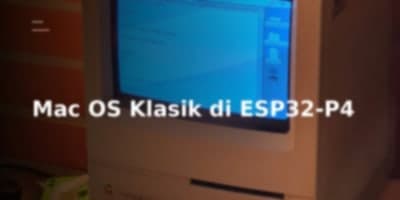
Porting a full-fledged 68k emulator like BasiliskII to run System 7 through Mac OS 8.1 on a desktop machine is straightforward. Porting it to a resource-constrained microcontroller while hitting 24 FPS and Quadra 610 parity requires a relentless teardown of memory access paths, video pipelines, and dual-core execution models.
The M5Tab-Macintosh project accomplishes exactly that on the dual-core RISC-V ESP32-P4. By decoupling guest CPU execution from rendering and leveraging targeted memory-mapped tricks, it packs an entire vintage workstation experience into portable devices like the M5Stack Tab5 and Waveshare 10.1-inch touch panels.
The Target Hardware Matrix
M5Tab-Macintosh relies on a lean Hardware Abstraction Layer (HAL) to bridge the BasiliskII core with distinct panel layouts and peripheral topologies.
| Target Board | Physical Display | Virtual Mac Screen | PlatformIO Environment |
|---|---|---|---|
| M5Stack Tab5 | 5" 1280x720 | 640x360 @ 2x integer | esp32p4_pioarduino |
| Waveshare ESP32-P4-WIFI6-Touch-LCD-10.1 | 10.1" 800x1280 (rotated to 1280x800) | 640x400 @ 2x integer | waveshare_p4_101 |
Under the hood, the Tab5 splits system responsibilities across two discrete chips:
- ESP32-P4: The primary compute engine. A dual-core RISC-V running at 400MHz with 32MB PSRAM and a MIPI-DSI interface driving the display.
- ESP32-C6: The wireless companion. It handles Wi-Fi 6 and Bluetooth LE 5.0, routing networking traffic off the main compute fabric.
Dual-Core Workload Partitioning
Classic emulation collapses when I/O polling interrupts compute-heavy CPU interpreter loops. M5Tab-Macintosh sidesteps this bottleneck with an asymmetric core layout that isolates CPU tasks from the host video and I/O pipeline.
       ESP32-P4 Core 0                         ESP32-P4 Core 1
+-----------------------------+        +-----------------------------+
| • Tile Video Rendering      |        | • 68040 CPU Interpreter     |
| • Double-Buffered DMA       |        | • Fast-Path Memory Access   |
| • 2x2 Pixel Scaling         |        | • Write-Time Dirty Tracking |
| • Input Events (60Hz)       | <----> | • Batched Op Execution (32) |
| • USB HID / Audio Pipelines |        | • ROM Patching Engines      |
| • Network RX Polling        |        | • Disk I/O & SD Sync        |
+-----------------------------+        +-----------------------------+
| Core 0 (Video & I/O Pipeline) | Core 1 (CPU Emulation Engine) |
|---|---|
| Video rendering execution | 68040 CPU Interpreter & FPU (68881) |
| Double-buffered DMA transport | Fast-path memory access |
| 2x2 pixel scaling | Write-time dirty tile marking |
| 60Hz Input scanning | Batched instruction execution (32 per loop) |
| USB HID & Audio (ES8388 / ES8311) | ROM patching |
| Network RX polling | Disk I/O |
| Event-driven rendering loop (24 FPS) | Guest memory management |
By offloading framebuffer processing and I/O polling to Core 0, Core 1 can run 32 instructions per loop iteration without polling host timing interrupts, yielding 2 to 3 MIPS on a 400MHz RISC-V architecture.
The Video Engine: Write-Time Dirty Tracking
Traditional software rendering often falls into the trap of full-frame comparisons or heavy software blending. To conserve CPU cycles, M5Tab-Macintosh uses write-time dirty tracking.
The virtual 640x360 display is split into a 16x9 grid of 40x40-pixel tiles:
- Inline Memory Interception: When the emulated 68040 CPU writes to the guest framebuffer in PSRAM, the memory subsystem catches the write and marks the target tile as dirty immediately.
- Elimination of Diff Passes: Core 0 skips raster comparison passes and only processes tiles flagged during the previous frame interval.
- Double-Buffered DMA Pipelines: Rendering runs through double-buffered row buffers protected by per-tile render locks, preventing tearing when Core 1 mutates memory mid-scanout.
- Sub-Pixel Stippling: UI overlays (such as the virtual keyboard) use a 25% sub-pixel stipple write rather than expensive alpha blending, preserving background Mac OS UI visibility with minimal CPU cost.
This architecture cuts per-frame video CPU overhead by 60% to 90%.
Storage Architecture and Memory Footprint
The host carves 4MB to 16MB of guest RAM directly out of the ESP32-P4's 32MB PSRAM. Disk images are mapped from the SD card interface.
SD Card Layout
/
├── Q650.ROM              # Macintosh Quadra ROM (Required)
├── Macintosh.dsk         # Hard disk image (Required)
├── System753.iso         # Mac OS Install CD (Optional)
└── DiskTools1.img        # Boot floppy for install (Optional)
To create a blank target disk on your development machine:
bashdd if=/dev/zero of=Macintosh.dsk bs=1M count=500
ROM Compatibility
The project requires a 32-bit clean Macintosh Quadra series ROM (Q650.ROM is recommended). The binary requires a valid 16-bit version word at offset 0x08:
0x067C: 32-bit clean Mac II / Quadra family0x0276: Macintosh Classic profile
Flashing the Device
You can build the firmware via PlatformIO or push release binaries directly via esptool.py.
Option 1: Direct Binary Flash
bashpip install esptool
esptool.py --chip esp32p4 \
    --port /dev/ttyACM0 \
    --baud 921600 \
    write_flash \
    0x0 M5Tab-Macintosh-v4.0.bin
(Adjust /dev/ttyACM0 to your platform target, such as /dev/cu.usbmodem* on macOS or COM3 on Windows).
Option 2: Source Compilation
bashgit clone https://github.com/amcchord/M5Tab-Macintosh.git
cd M5Tab-Macintosh
pio run
pio run --target upload
pio device monitor
Networking and Peripheral I/O
M5Tab-Macintosh routes network traffic through a virtual NAT engine with an internal DHCP server, mapped over the ESP32-C6 Wi-Fi connection.
+------------------------------------+
| Classic Mac OS Guest (System 7/8) |
| IP: 10.0.2.15                      |
+------------------------------------+
                 |
                 v
+------------------------------------+
| Internal NAT & DHCP Layer          |
| Gateway: 10.0.2.2 | DNS: 10.0.2.3  |
+------------------------------------+
                 |
                 v
+------------------------------------+
| ESP32-C6 Co-processor (Wi-Fi 6)    |
+------------------------------------+
Guest Network Configuration
Inside Mac OS, open the TCP/IP Control Panel and configure:
- Connect via: Ethernet
- Configure: Using DHCP Server
Input Options
- Touchscreen: Operates as a single-button absolute pointing device with support for tap-to-click and drag gestures.
- Touch Overlays: A three-finger tap reveals a full QWERTY keyboard with latching modifiers (Shift, Ctrl, Option, Command). A four-finger tap toggles a gaming D-pad with Esc, Return, Space, and Option triggers.
- USB Peripherals: Connect keyboards and mice directly to the Tab5's USB Type-A port. Relative movement, multi-button clicks, and mouse wheel mappings (translated to Mac arrow keys) run through the integrated HID descriptor parser.
- Integrated Hardware: The official 70-key Tab5 keyboard attached to Ext.Port1 is detected dynamically via I2C.
Release Milestones
v4.1 beta 2 Highlights
- Tab5 Keyboard Plug-and-Play: Added hot-plug handling for the official 70-key keyboard on Ext.Port1.
- Universal Display Revision Support: Integrated initialization sequences for ST7121, ST7123, and ILI9881C panels.
- I/O Sync Pipelines: Disk writes flush to the SD card every 2 seconds and on guest idle cycles to prevent data loss.
- HID Parser Improvements: Added support for modern mice using non-standard bit layouts, mapping the scroll wheel to arrow key inputs.
- Optical Media Booting: Direct boot support for
.iso,.cdr, and.toastmedia via the pre-boot configuration GUI. - Audio Codec Resets: Implemented a full power-down and chip reset sequence for ES8388 and ES8311 to recover clean audio across soft resets.
- exFAT Detection: Alerts users if a non-FAT32 filesystem is detected on the microSD card.
v4.0 Highlights
- Multi-Touch Keyboard & Game Overlays: On-screen input controls with non-destructive 25% stippled transparency.
- Isolated Build Environments: Separated PlatformIO configuration targets per board.
- USB Disk Mode: Access the onboard SD card as mass storage over the Tab5 USB-A port.
Architectural Deep-Dive: Optimization Stack
To maintain smooth frame rates on 400MHz RISC-V cores, M5Tab-Macintosh combines multiple low-level execution strategies:
- Inline Memory Access Checks: Critical paths check for direct RAM and ROM regions, bypassing standard memory bank lookups.
- Batched CPU Loops: Core 1 processes instructions in 32-op blocks, amortizing loop condition checks and counter decrements.
- Compiler Directives: The codebase compiles with
-O3,-funroll-loops, and-ffast-math, forcing aggressive inlining across hot paths. - Lock-Free Snapshots: Video rendering uses per-tile flags, allowing Core 1 to execute without waiting for full-frame raster sweeps.
Diagnostic Quick Reference
| Issue | Root Cause | Resolution |
|---|---|---|
| "SD card initialization failed" | Filesystem format or poor connection | Format storage as FAT32; reseat microSD. |
| "Q650.ROM not found" | Missing ROM binary | Place clean Q650.ROM in SD root directory. |
| Black screen on boot | Invalid ROM or bad build target | Check serial output (pio device monitor); verify ROM header. |
| Touchscreen unresponsive | Boot GUI still initializing | Wait for the 3-second initialization countdown to complete. |
| USB Keyboard ignored | Connected to incorrect port | Use the USB Type-A port (Type-C does not run host HID). |
| Tab5 Keyboard not recognized | Loose connection on Ext.Port1 | Reseat connector; verify target I2C address is responding at 0x6D. |
| Choppy/inconsistent frame delivery | Heavy rendering load | Check [VIDEO PERF] serial logs; 60% to 90% partial updates is normal. |
| No sound output | Audio codec disabled | Enable audio in the pre-boot GUI settings. |
References
- Source Repository: https://github.com/amcchord/M5Tab-Macintosh