
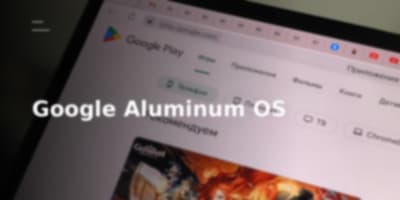
Maintaining two distinct, non-converged operating system stacks has finally hit an inflection point inside Mountain View. For over a decade, Google dominated mobile endpoints with Android while attempting to carve out enterprise and education desktop market share with ChromeOS. That split engineering investment is coming to an end. Google is actively fusing ChromeOS and Android into a unified desktop runtime under the internal codename Aluminum OS (or Aluminium OS).
The industry signals point to a calculated shift away from lightweight browser-first computing toward a consolidated, AI-native desktop foundation designed for contemporary workloads.
+-------------------------------------------------------------+
|                        Googlebooks                          |
|             (Laptops, Tablets, Detachables, Boxes)          |
+-------------------------------------------------------------+
|                         ALUMINUM OS                         |
|     +-------------------------------------------------+     |
|     |            Gemini AI-Core Engine                |     |
|     |  * Magic Pointer Context Engine                 |     |
|     |  * Dynamic Generative UI/Widgets                |     |
|     +-------------------------------------------------+     |
|     |             Unified Hybrid Layer                |     |
|     |  * Android Play Store Engine & Ecosystem        |     |
|     |  * Chrome Browser Runtime & Extension Subsystem |     |
|     |  * Zero-Download Cross-Device App Streaming     |     |
+-----+-------------------------------------------------+-----+
The Genesis: Why the Android-ChromeOS Merger Happened
The unified project, officially titled Aluminum Operating System (ALOS), surfaced after Google confirmed a strategic partnership with Qualcomm at the Snapdragon Summit to build a platform bridging mobile and desktop compute powered by AI advancements. While convergence rumors circulated for over a year prior, concrete technical breadcrumbs materialized through an archived Google job listing.
The role described managing the commercial device portfolio for both ChromeOS and Aluminium Operating System across diverse form factors. More importantly, it explicitly identified the platform as "a new Android-based operating system" engineered with "Artificial Intelligence (AI) at its core."
By shifting the desktop baseline to an Android foundation rather than maintaining an isolated ChromeOS stack, Google gains native access to the massive Google Play ecosystem while preserving the web engine that made Chromebooks viable.
| Dimension | Legacy ChromeOS Baseline | Aluminum OS (ALOS) Target |
|---|---|---|
| Core Heritage | Web runtime / Chrome browser focus | Android-based OS architecture |
| AI Integration | Bolt-on cloud services | Gemini built at the system core |
| Form Factors | Clamshells, select convertibles | Laptops, detachables, tablets, "boxes" |
| App Execution | Web apps, containerized Android | Native Android apps, cross-device zero-download streaming |
| Hardware Tie-in | Low-to-mid range reference designs | Premium hardware tier (Googlebooks) |
Hardware Form Factors and the "Box" Strategy
The job listing revealed that Aluminum OS is not restricted to standard clamshell laptops. The runtime is targeted across:
- Standard Laptops
- Detachables
- Tablets
- "Boxes" (Budget desktop compute units, Chromeboxes, or compact Mac Mini-style machines)
This multi-SKU roadmap indicates an adaptive display and window management layer capable of scaling across different displays, power profiles, and thermal envelopes. Building a unified Android-based core that flexes from a standalone tablet to a headless or modular desktop box solves the fragmented developer targeting that previously stalled Android's adoption on larger screens.
The Leaked Desktop Environment
A leaked walkthrough running ALOS inside a virtual machine on a MacBook provides a preview of the user workspace. Visually, the interface retains the clean ergonomics of ChromeOS while bringing back critical desktop-class paradigms:
+-----------------------------------------------------------+
| [App Icon]  [Project Folder]                              |
|                                                           |
|                                                           |
|                     DESKTOP WORKSPACE                     |
|            (Right-Click Context Menu: Enabled)            |
|                                                           |
|                                                           |
+-----------------------------------------------------------+
| [App Shelf]                    [Task Mgr] [Quick Settings]|
+-----------------------------------------------------------+
- Desktop-Level File Management: Unlike standard mobile Android, the UI supports pinning application launchers directly on the desktop and includes right-click functionality to create new directory folders, mirroring a traditional Windows workflow.
- Hybrid System Controls: The system incorporates a dedicated Quick Settings panel directly derived from the Android interface alongside a desktop-grade Task Manager for granular process monitoring.
- Streamlined Setup: The preliminary setup flow mimics modern thin-client deployment routines, optimizing the path from initial boot to an active desktop workspace.
Outside of community leaks, Google dropped an oblique reference to the operating system during The Android Show livestream on May 12, building momentum ahead of formal developer disclosures.
Googlebooks: The Flagship Silicon Carrier
The software platform will make its commercial debut on a new laptop class named Googlebooks, announced shortly before Google I/O 2026. Google positioned the hardware as the spiritual successor to the Chromebook, moving the needle from a basic operating system to an integrated "intelligence system."
"With the shift from an operating system to an intelligence system, we thought it was time for another fundamental re-discovery. This year, we’re taking the best of Android, a modern OS with great apps on Google Play, and the best of Chrome OS, which comes with the world’s most popular browser and largest extension library. And now we’re unifying them, creating a new category of laptop built with Gemini at its core, working seamlessly with the devices in your life, and powered by premium hardware. Introducing Googlebook."
By fusing the Chrome browser engine and its extension library with the native Android app ecosystem, Googlebooks bridge the functionality gap that previously kept ChromeOS devices out of professional power-user environments.
AI-Native Capabilities: Gemini and the Magic Pointer
Rather than simply bundling an AI sidebar, Googlebooks and Aluminum OS integrate Gemini directly into the interaction layer.
                          [ User Screen Context ]
                                     |
                                     v
                        [ Magic Pointer Engine ]
                                     |
             +-----------------------+-----------------------+
             |                                               |
             v                                               v
[ Contextual Next-Step Actions ]             [ Generative Dynamic Widgets ]
1. The Magic Pointer
The interface introduces the Magic Pointer, an AI-augmented cursor system. As the user hovers over or selects on-screen elements, the system parses the visual and semantic context to serve proactive execution paths, next-step recommendations, and contextual data lookups without requiring manual prompt entry.
2. Generative Widgets
Users can leverage the integrated Gemini core to dynamically generate system and productivity widgets, synthesizing unstructured data directly onto the workspace.
3. Zero-Download App Streaming
Aluminum OS eliminates local installation friction between hardware layers. Users can execute and interact with Android apps directly from their mobile phone on the Googlebook without initiating a local download or installation cycle.
The Engineering Outlook
Google's pivot to Aluminum OS marks the end of their internal platform fragmentation. Merging the Chrome browser subsystem with Android's application runtimes, backed by Qualcomm compute silicon and deep Gemini integration, creates a unified challenger to traditional desktop platforms. With Google I/O approaching, the transition from experimental dual-boot containers to a native, unified Android desktop environment is now entering production reality.